> For the complete documentation index, see [llms.txt](https://docs.gutenbricks.com/llms.txt). Markdown versions of documentation pages are available by appending `.md` to page URLs; this page is available as [Markdown](https://docs.gutenbricks.com/features/working-with-elements.md).
# Working with Elements
Let’s briefly explore how we can work with Bricks Builder elements using GutenBricks.
### Enabling the editor field
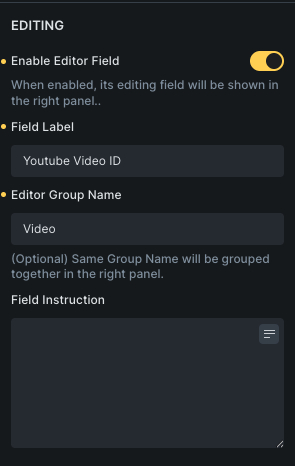
If the element offers, "Enable Editor Field" toggle, it means you can toggle it to show an editing field on the righthand side panel inside Gutenberg editor.
### Video Element
You can create a video block that allows users to change videos by enabling **"Enable Editor Field."**
{% embed url="" %}